skip to main |
skip to sidebar
 Tutorial covers methodologies of using poly-surfaces with paneling tools plug-in.
Length: 13.11
Tutorial covers methodologies of using poly-surfaces with paneling tools plug-in.
Length: 13.11
 This tutorial covers how to create both standard and custom paneled surfaces using paneling tools, how to manipulate the thickness of the surface, and how to save a custom 2D pattern to the default library.
Length: 32.18
This tutorial covers how to create both standard and custom paneled surfaces using paneling tools, how to manipulate the thickness of the surface, and how to save a custom 2D pattern to the default library.
Length: 32.18
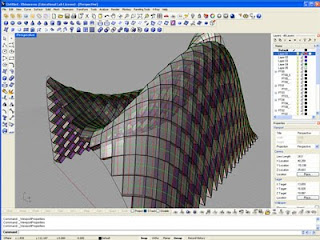 This tutuorial covers an introduction to Rhinos latest version of the fantastic paneling tools plug-in. Covered are various ways of generating point grids with or without surfaces, generating 2D panels from the paneling tools library, generating custom 2D panels, manipulating the geometry of the point grid manually and with the shuffle tool, generating a backing frame using fin edges, and the planar lips command giving edges to panels after they are unrolled.
Length: 61.04
This tutuorial covers an introduction to Rhinos latest version of the fantastic paneling tools plug-in. Covered are various ways of generating point grids with or without surfaces, generating 2D panels from the paneling tools library, generating custom 2D panels, manipulating the geometry of the point grid manually and with the shuffle tool, generating a backing frame using fin edges, and the planar lips command giving edges to panels after they are unrolled.
Length: 61.04
 Using wire parameters and an attractor point to vary the opening in a panel system through the control of rotation.
Length: 14.37
Using wire parameters and an attractor point to vary the opening in a panel system through the control of rotation.
Length: 14.37
 Tutorial covers the use of wire parameters to create an attractor point that effects the thickness and appature of a paneled surface. Covered also is the ability to manipulate the surface using the patch deform modifier.
Length: 21.24
Tutorial covers the use of wire parameters to create an attractor point that effects the thickness and appature of a paneled surface. Covered also is the ability to manipulate the surface using the patch deform modifier.
Length: 21.24
 Tutorial covers the creation of a panel system that is parametrically connected to a sun system. Utilizes the look at constraint, skin modifier, and bones.
Length: 15.14
Tutorial covers the creation of a panel system that is parametrically connected to a sun system. Utilizes the look at constraint, skin modifier, and bones.
Length: 15.14
 An introduction to wire parameters. How to develop contingent relationships between parameters of seperate objects, i.e. 'wire' them together.
Length: 9.05
An introduction to wire parameters. How to develop contingent relationships between parameters of seperate objects, i.e. 'wire' them together.
Length: 9.05